What Building Cloud Cost Integrations Actually Teaches You
Five findings from building the AWS, Azure, GCP and OpenCost collectors, from volumes hidden behind a placeholder to cost data that is absent unless you opt in.

Xplorr team
The people who build Xplorr
In this post
- Why is unused Kubernetes storage invisible by default?
- Why do node costs have to be fetched one day at a time?
- Why is per-resource AWS cost sometimes just missing?
- Why does a “network costs” query miss NAT gateways?
- Why is a location-based carbon view empty for Azure?
- What do these five have in common?
- How do you defend against this?
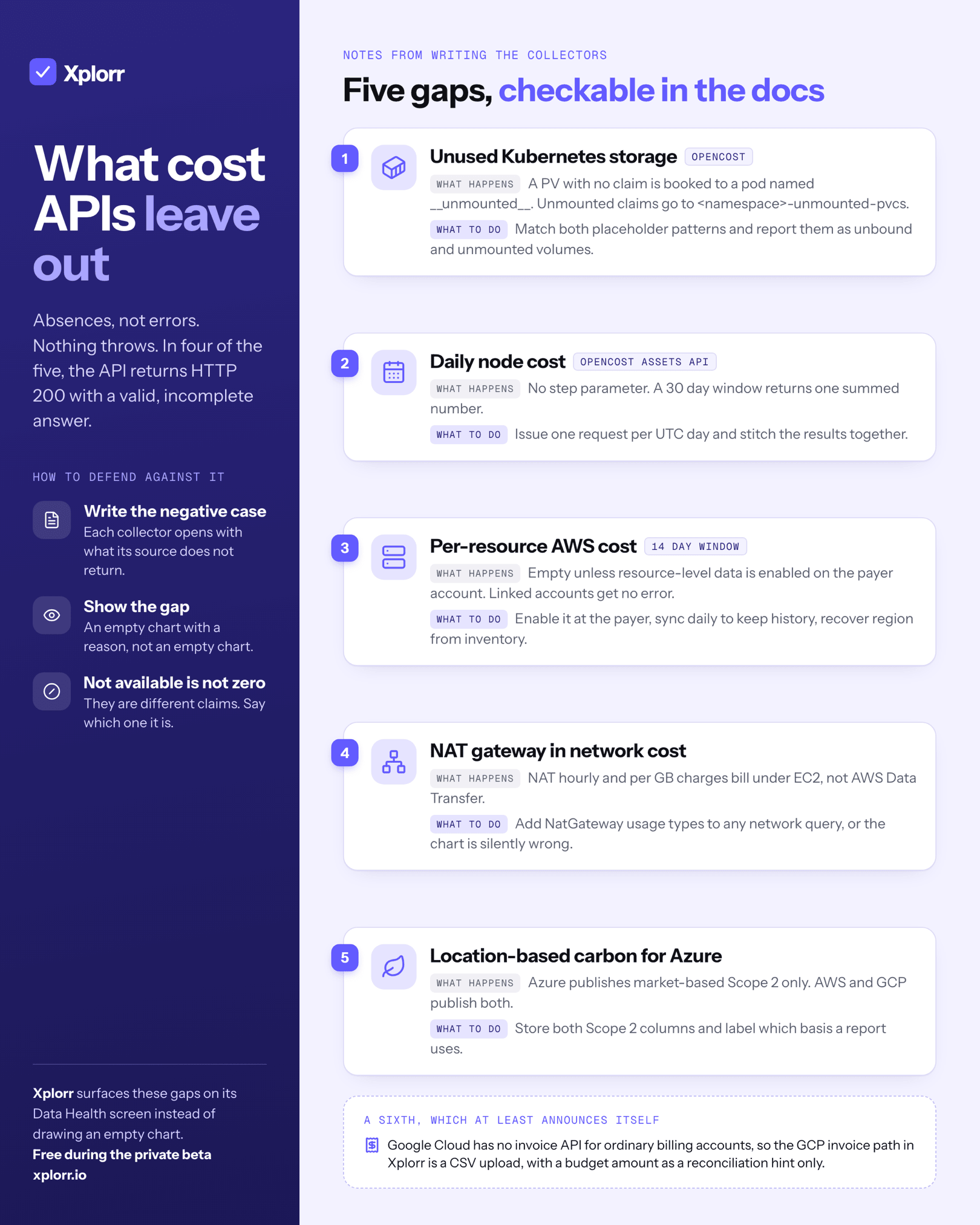
Five things we learned writing the collectors behind Xplorr, each checkable against a provider’s own documentation. Unused Kubernetes storage is booked to a placeholder name. One cost API has no step parameter. AWS per-resource cost is absent unless someone opts in. NAT gateway charges are not filed under networking. A location-based carbon view is empty for one cloud.
None of these are bugs in the providers. They are modelling decisions that are individually defensible and collectively responsible for most of the gap between what a cost tool shows you and what you are actually billed. Each section below names the behaviour, why it exists, and what you have to do about it.
Why is unused Kubernetes storage invisible by default?
Because OpenCost does not report it under any workload you would think to look at. An allocation is keyed by namespace, controller and pod. A persistent volume with no claim does not belong to a pod, so OpenCost invents one.
There are two placeholders, and they mean different things. A PV with no claim at all is booked to the namespace and pod both named __unmounted__. A claim that exists but that no pod mounts is booked to the pod <namespace>-unmounted-pvcs inside its real namespace. The volume itself is named in the allocation’s pvs map under a key of the form cluster=<cluster>:name=<pv>.
So the cost is present and correctly attributed to storage. It is just filed under a name that no dashboard grouped by workload will ever surface, and no engineer will ever search for. Our collector matches both patterns explicitly and writes them out as unbound and unmounted, which is the only way they appear as a finding rather than as a line in a total nobody reads.
Why do node costs have to be fetched one day at a time?
Because the OpenCost Assets API has no step parameter. The Allocation API does: you pass step=1d with accumulate=false and get back one allocation set per day in a single response. The Assets endpoint, which is where node, disk and load balancer assets live, accepts a window and returns exactly one asset set for that whole window.
The consequence is structural, not cosmetic. If you ask for a 30 day window you get 30 days of node cost summed into one number, with no way to break it apart. If you want daily node cost, you have to issue 30 requests, each with a one day window, and stitch them together yourself.
That is what our client does: a loop over each UTC day between start and end, one HTTP call per day, with a 60 second timeout on each. On a backfill it is the slowest part of the whole ingest, and it is slow for a reason that no amount of local optimisation can fix.
Why is per-resource AWS cost sometimes just missing?
Because it is opt-in, and the opt-in lives somewhere most engineers never look. Cost Explorer’s normal GetCostAndUsage call rejects RESOURCE_ID as a grouping dimension outright. There is a separate API, GetCostAndUsageWithResources, and it only returns data once resource-level data has been enabled in Cost Explorer preferences.
That setting is on the payer account. If you are a linked account in an organisation, you cannot turn it on yourself, and no error tells you that. The API returns successfully with nothing in it, which is far worse than failing.
Two further constraints come with it. The window is limited to the last 14 days, so any longer history has to be accumulated by syncing daily and keeping the rows. And it wants a service filter; ours pins SERVICE to Amazon Elastic Compute Cloud - Compute. One more detail worth knowing: when you group by RESOURCE_ID, the region is not returned, so it has to be recovered from inventory rather than from the cost response.
Why does a “network costs” query miss NAT gateways?
Because AWS does not file NAT gateway charges under networking. The obvious way to pull data transfer cost is a Cost Explorer query filtered to the AWS Data Transfer service, optionally with CloudFront and VPN alongside, grouped by usage type. That is exactly what our network collector does, and its usage type map covers DataTransfer-Out-Bytes, DataTransfer-In-Bytes, DataTransfer-Regional-Bytes, DataTransfer-CrossRegion-Bytes, CloudFront-Out-Bytes and VPN-Bytes.
NAT gateway appears in none of them. Both the hourly charge and the per-GB data processing charge are billed under EC2. You can see this from the other side in our pricing code: to estimate a NAT gateway we query the AWS Pricing API with serviceCode: 'AmazonEC2' and a product family of NAT Gateway, picking usage types matching NatGateway-Hours. AWS publishes the rates on the VPC pricing page, and documents the two separate charges, but the billing classification is EC2.
For a lot of teams the NAT gateway is the single largest networking line item. A dashboard built on the intuitive filter will show a network cost chart that is confidently, silently wrong.
Why is a location-based carbon view empty for Azure?
Because Azure only publishes market-based Scope 2. The GHG Protocol Scope 2 Guidance requires dual reporting: a location-based figure using the average emissions intensity of the local grid, and a market-based figure reflecting contractual instruments such as renewable energy purchases. They can differ by a lot, and a provider with heavy renewable contracts looks much better on the market-based number.
AWS gives you both. Its carbon emissions export carries total_scope_2_lbm_emissions_value and total_scope_2_mbm_emissions_value side by side. GCP gives you both, as carbon_footprint_kgCO2e.scope2.location_based and .market_based in the BigQuery Carbon Footprint export. The Azure Carbon Optimization API returns Scope 1, Scope 2 and Scope 3, and its Scope 2 is market-based only.
So our schema stores four scopes, scope1, scope2_market, scope2_location and scope3, and the reporting layer takes a basis parameter that selects one Scope 2 column. Switch a multi-cloud report to the location basis and the Azure rows drop to nothing. That is the data being honest, and it is the kind of hole that quietly ruins a cross-cloud comparison unless the UI says out loud which basis it is on.
What do these five have in common?
They are all absences rather than errors. Nothing throws. Nothing logs a warning. In four of the five cases the API returns HTTP 200 with a response that is structurally valid and materially incomplete, and you only discover the gap by knowing in advance that something should have been there.
A sixth example makes the point from the other direction. Google Cloud has no invoice API for ordinary billing accounts. AWS has one, Azure has one, and the Cloud Billing API surface has no invoice resource at all; invoices are downloaded from the console, or read through Channel Services if you are a reseller. So our GCP invoice path is a manual CSV upload, with the Cloud Billing Budget API supplying a budget amount for the period as a reconciliation hint that is explicitly never treated as an invoice. That absence at least announces itself, because there is no endpoint to call. That upload is where invoice reconciliation starts for GCP in Xplorr.
How do you defend against this?
Write the negative case down where the code is. Every provider module we ship opens with a comment naming the API version, the required role or permission, and what the source does not return. That comment is the only place the 14 day window, the missing region on a resource grouping or the single Scope 2 basis is recorded, and it is the first thing anyone reads before changing the collector.
Then make the gaps visible in the product rather than in a footnote. An empty chart and an empty chart with a reason attached look identical to the code and completely different to a user. If resource-level data is off at the payer account, the answer is not zero, it is not available, and those are different claims. In Xplorr that is the job of the data health screen.
The general lesson from building against all three clouds plus OpenCost is that the hard part was never the SDK calls. It was working out, for each source, the specific shape of what it declines to tell you.
Related reading:
Written by
Xplorr team
The people who build Xplorr
Written together by the engineers who build Xplorr: the AWS, Azure, GCP and Kubernetes collectors, the console, and the alerting behind them.
About Xplorr