Track OpenAI and Anthropic costs in the same totals as your cloud
Connect an OpenAI or Anthropic organization admin key and Xplorr pulls daily cost and token usage per model and per project or workspace. AWS Bedrock and Azure OpenAI spend comes in from the cloud bills you have already connected, so model spend sits in the same totals, budgets and anomaly alerts as the rest of your infrastructure.
Inputs
Where the AI cost numbers come from
Xplorr reads your accounts with read only credentials and never writes to your infrastructure. These are the sources behind this screen.
- OpenAI usage and costs
- Read with an organization Admin API key. Project keys are refused because they cannot see organization usage. Covers completions plus embeddings, images, audio, vector stores and code interpreter usage. Connecting OpenAI and Anthropic
- Anthropic usage and cost reports
- Read with an organization Admin API key from the Anthropic Console. Workspace keys are refused, and individual accounts cannot create admin keys. Priority Tier usage is not in the cost report Anthropic provides.
- AWS Bedrock and Azure OpenAI
- Picked out of the AWS and Azure bills you already sync, by service name. These arrive as cost only, because the cloud bill does not carry token counts.
Method
How the AI cost numbers are worked out
No black box. If a figure is an estimate or an apportionment rather than a billed line, the page says so.
The same cost table as your cloud spend
AI costs are stored next to AWS, Azure and GCP cost rather than in a separate report, so they appear in cost analysis, count toward totals and can be the scope of a budget.
Per model and per project or workspace
OpenAI costs are grouped by project and Anthropic costs by workspace, each broken down by model. Anthropic usage outside any workspace shows as Default workspace. There is no split per API key.
Tokens where the provider reports them
Input, output and cached tokens come from OpenAI and Anthropic, which gives a cost per thousand tokens with the share of spend it covers. OpenAI also reports request counts; Anthropic does not.
Anomaly detection includes model spend
The daily detector reads AI cost like any other service, so a model whose spend jumps well above its recent average raises an anomaly in Slack and email.
Synced daily with a short look back
The first sync backfills 30 days. After that each daily sync fetches the last three days again, and data runs through the last complete billing day.
In the console
What is on the AI cost screen
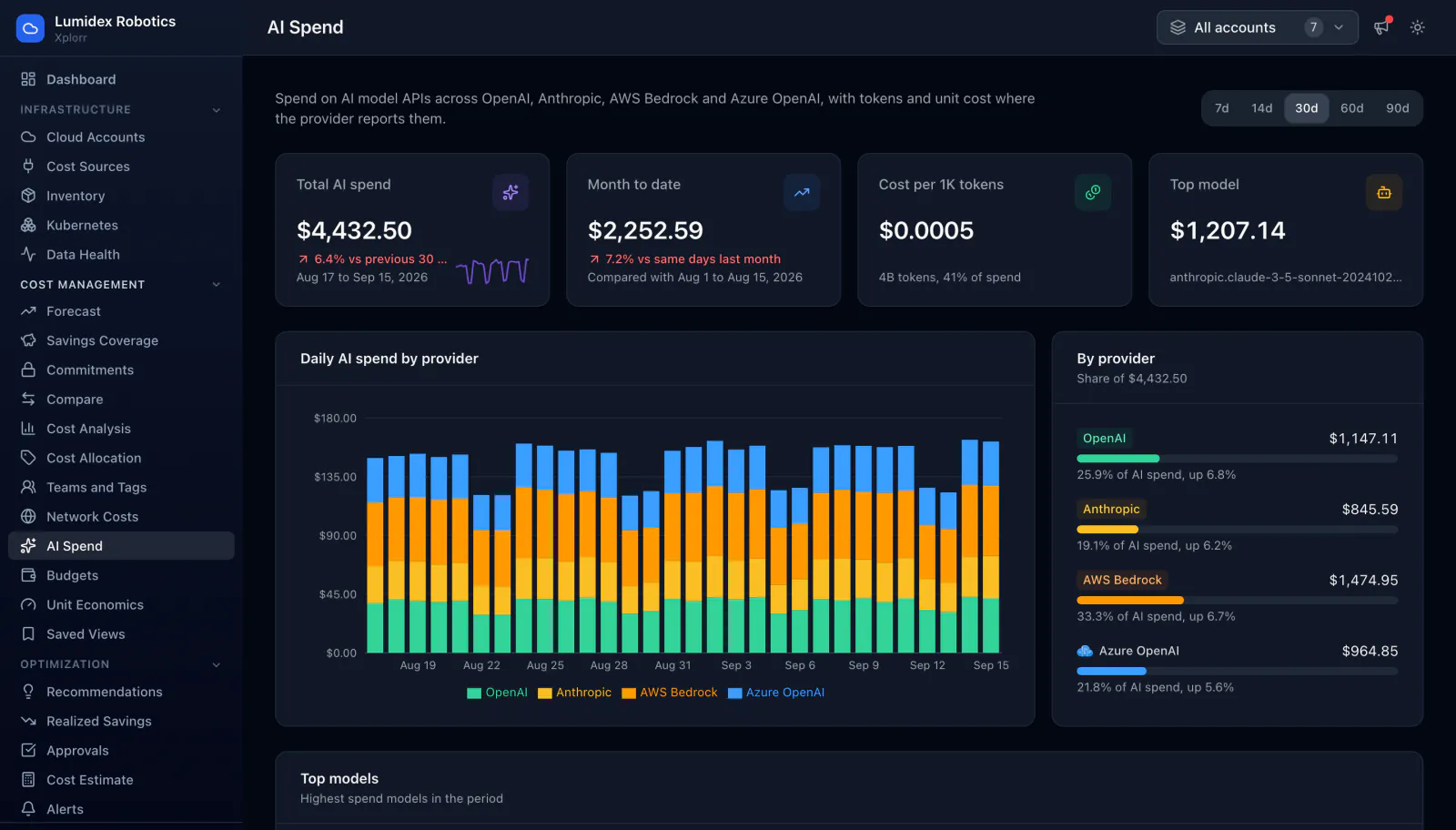
- Daily AI spend stacked by provider
- Cost per thousand tokens, with how much of spend has token data
- The top model by cost for the range
- The highest spend models in the period
- Per project or workspace and per token type detail on each source page
- Ranges of 7, 14, 30, 60 or 90 days
Common questions about AI cost
Which keys does Xplorr need?
Can I see cost per API key?
Does it cover Gemini or Vertex AI?
Can I set a budget on OpenAI spend?
What does it cost?
Background reading
Seeded OpenAI and Anthropic connectors sit next to AWS, Azure and GCP in Inside the Xplorr demo workspace, a walkthrough of the console using sample data.
Why per token inference grows with use rather than with infrastructure is part of What it costs to run a FinOps platform.
Related features
How this compares
See this on your own accounts
Connect a cloud account with read only credentials and the first sync pulls your last 30 days, so this screen fills with your numbers instead of the demo workspace. Free during beta.