Multi-cloud cost management for AWS, Azure and GCP Your cloud bill has
waste hiding in it
Xplorr connects to AWS, Azure, and GCP with read only credentials and shows where the spend is going, while there is still time to act on it.
Built for engineering and FinOps teams managing $5K to $500K a month in cloud spend.
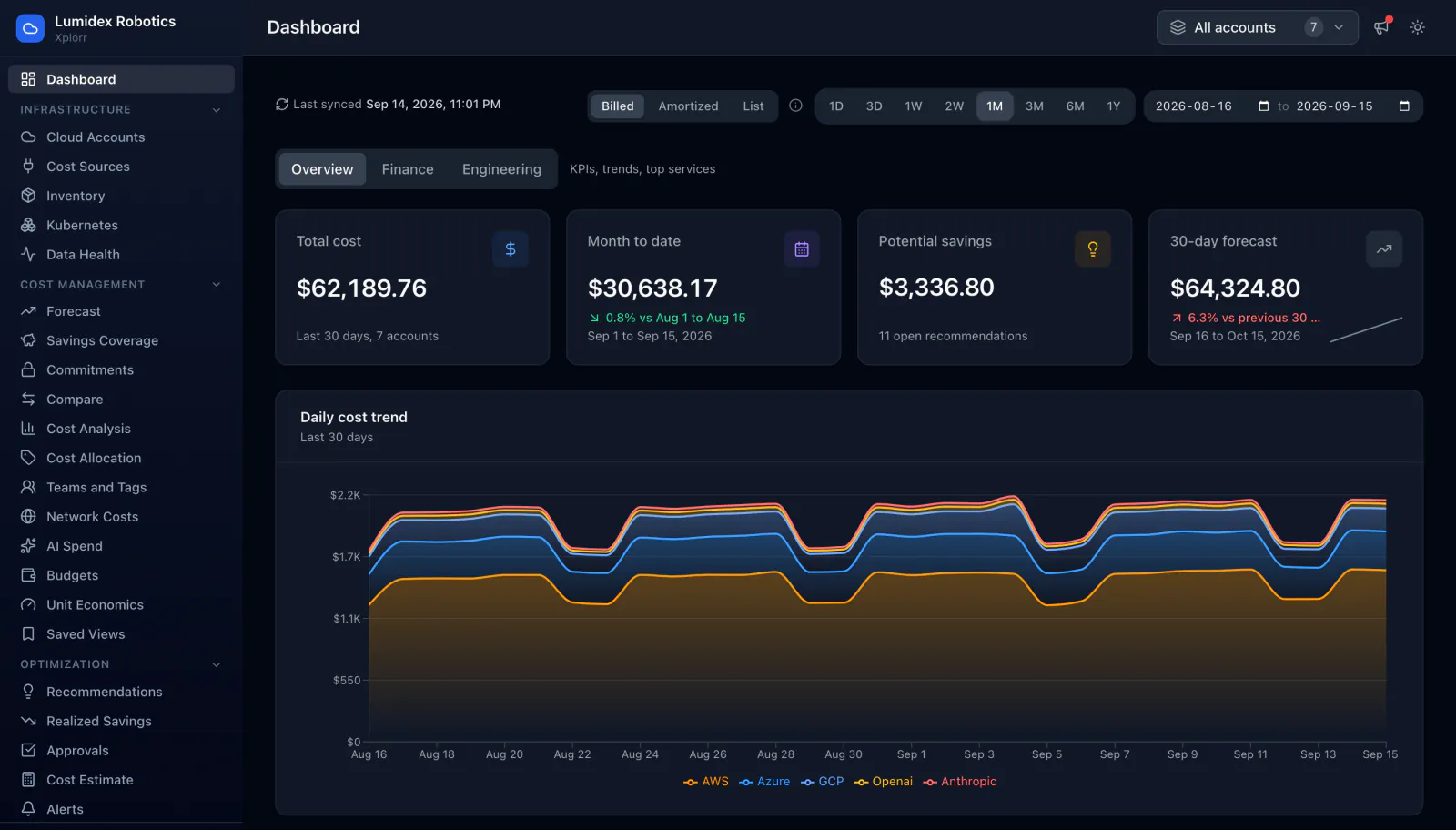
The Xplorr console. Every screen on this site is the real product, shown with a demo workspace running about $60K a month across AWS, Azure, GCP, OpenAI and Anthropic.
Capabilities
Everything you need to control cloud spend
Machine learning for anomaly detection, AI for natural-language cost questions, and real cloud data underneath both, so you get answers rather than another chart to interpret.
One dashboard for every cloud
AWS, Azure and GCP in a single pane, with daily granularity and a breakdown by service, account, region or tag.
- Resource inventory, refreshed daily
- Network cost visibility
- Per-resource cost tracking
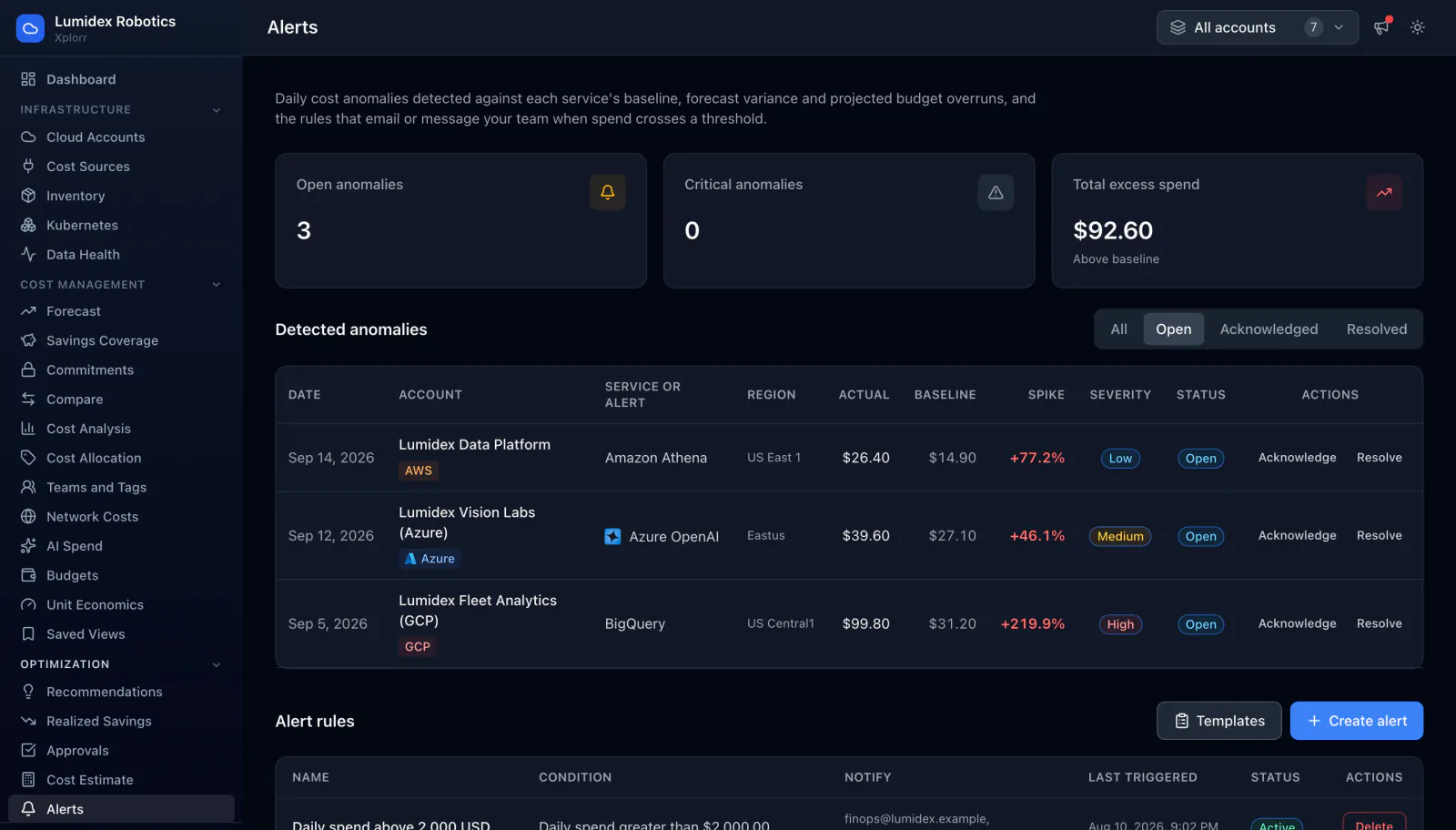
Catch spikes before they hit your bill
Every service is scored against its own baseline, so an unusual day is flagged without you setting a threshold for it first.
- Actual versus baseline cost on every anomaly
- Severity ranking, so the noise stays at the bottom
- Alert rules that notify Slack or email
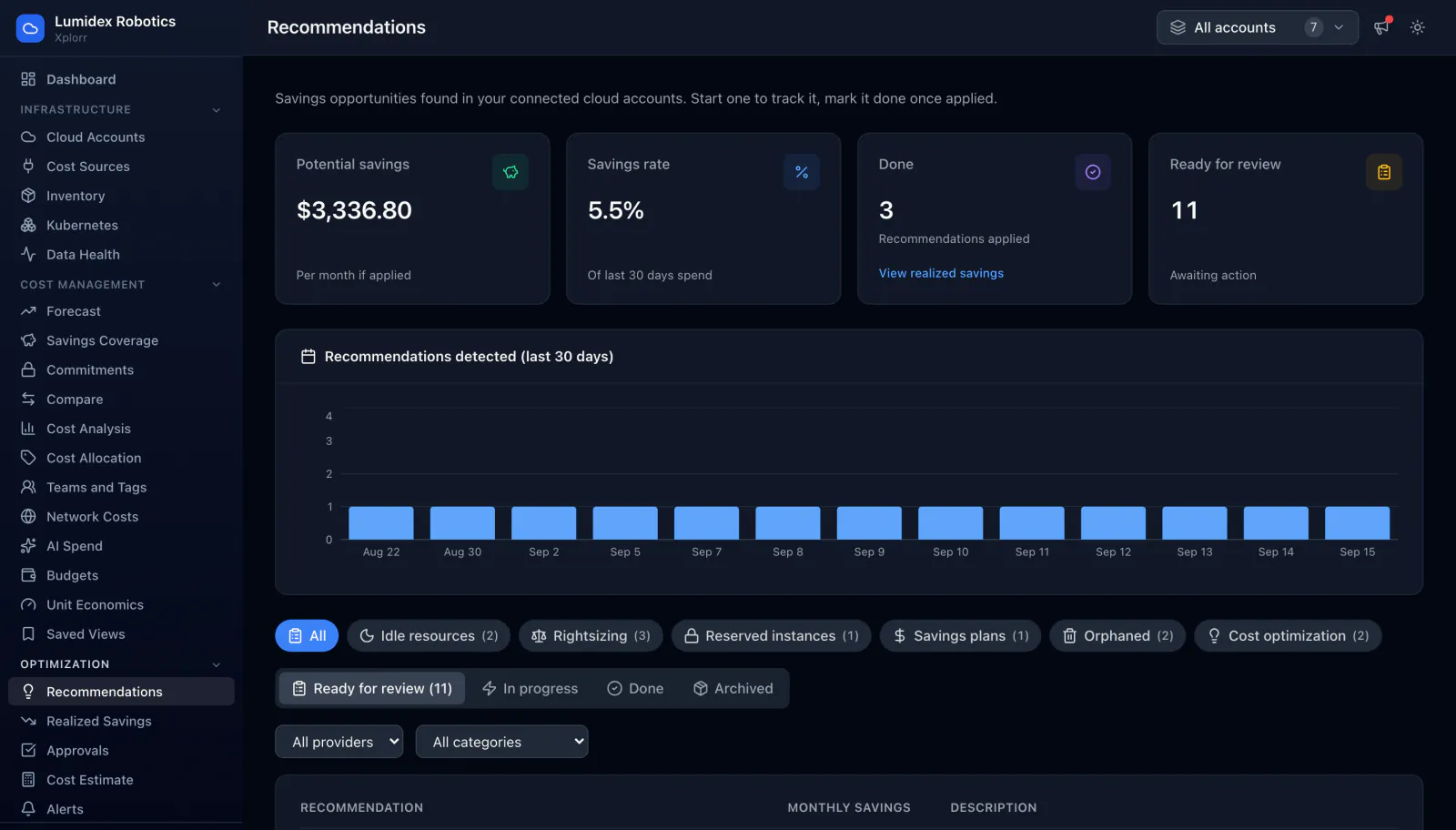
Actionable savings, not just charts
Savings opportunities grouped by type, each with the monthly figure and the evidence behind it, tracked from open through to done.
- Idle resource and orphaned resource detection
- Rightsizing, reserved instances and savings plans
- Steps to apply each fix: CLI, console and Terraform
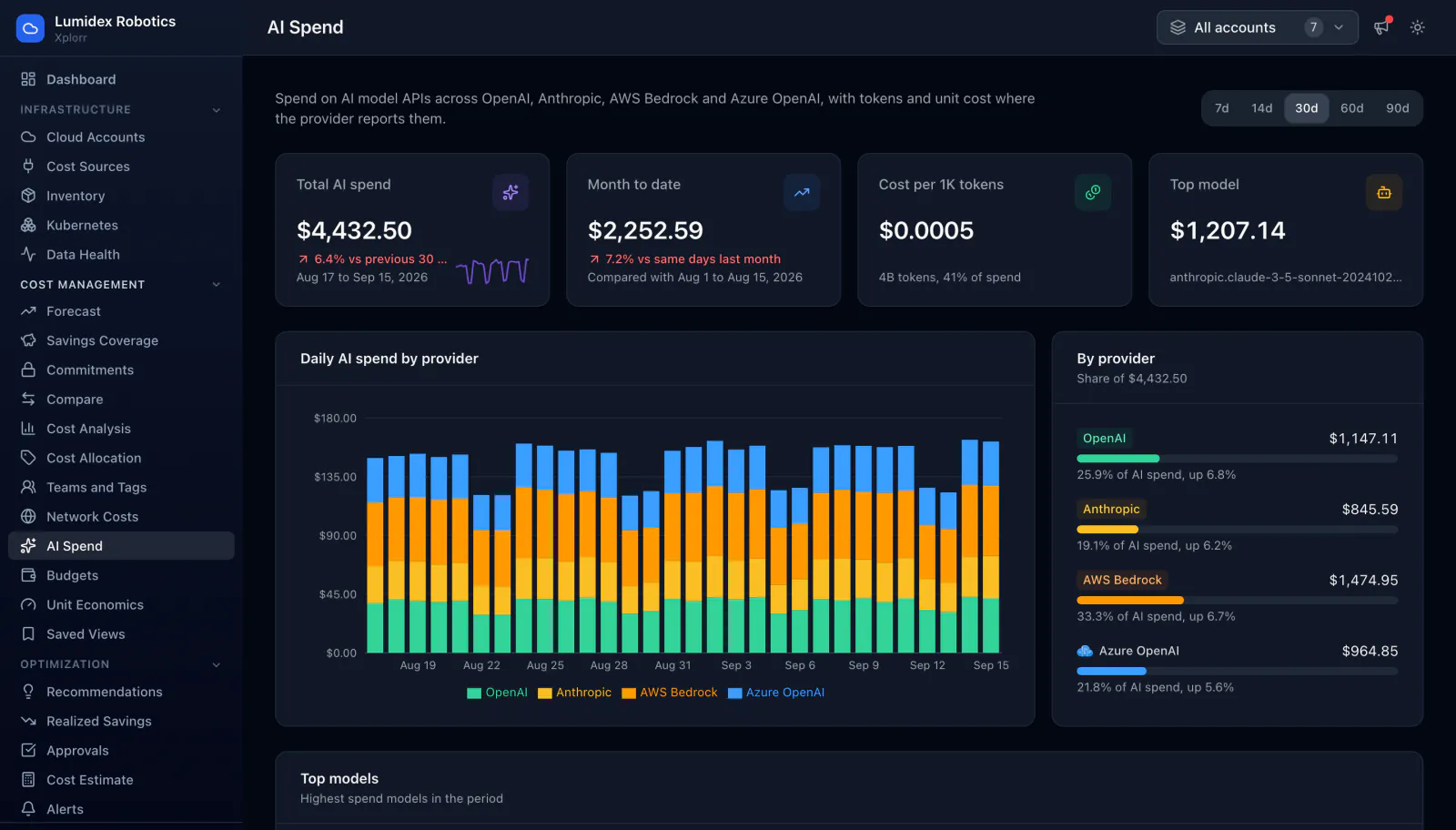
Track model spend next to cloud spend
OpenAI, Anthropic, AWS Bedrock and Azure OpenAI land in the same place as the rest of your bill, with tokens and unit cost where the provider reports them.
- Cost per thousand tokens, not just a monthly total
- Spend split by provider and by model
- Counted in budgets and forecasts alongside cloud
Cost allocation and tagging
Split spend by team, project or environment using the tags you already have, and see exactly how much of the bill is untagged or unattributed.
Forecasting and budgets
A regression over your recent spend projects the month end and 60 days out. Budgets flag an overshoot while there is still time to act on it.
Slack, Ask Xplorr and AI assistants
A daily digest and cost alerts in your Slack channel, Ask Xplorr for plain English questions in the console, and an MCP server so an AI assistant can query your cost data directly. Microsoft Teams is coming soon.
Security and access control
Read-only cloud credentials encrypted with AES-256-GCM, role-based access per account, 2FA with passkeys, and a full audit trail.
How it works
Read only, set up in one sitting
Connect with read-only credentials
Add an AWS IAM role, Azure service principal, or GCP service account. We request the minimum permissions needed: billing read access only. Your credentials are encrypted with AES-256-GCM and stored separately from application data.
We sync and normalize your billing data
Xplorr pulls cost data from AWS Cost Explorer, Azure Cost Management, and GCP BigQuery billing export. We normalize it into a single schema, so you can compare EC2 and Azure VMs in the same chart.
Anomalies and savings surface automatically
Every night, we calculate a 7-day rolling baseline per service. If spend spikes more than 50%, you get a Slack alert within hours. Idle resources and rightsizing opportunities are detected weekly.
How it works
What you can check for yourself
Xplorr is in beta and does not publish customer outcome figures it cannot source. These are properties of the product instead, each visible in the console on your own accounts.
Read only by design
Xplorr connects with read only credentials and has no permission to create, change or delete anything in your accounts.
Clouds, AI and SaaS in one total
AWS, Azure and GCP alongside OpenAI, Anthropic, Cursor, GitHub, Datadog, Snowflake, Databricks, MongoDB Atlas, Confluent Cloud and Cloudflare, so a single figure covers infrastructure, model and tool spend together.
Useful on the first sync
Connecting an account pulls 30 days of cost data straight away, so there is a trend to read before you have waited a month.
Reads the open billing standard
Point a connected AWS, Azure or Google Cloud account at the FOCUS billing export your cloud already writes, and Xplorr reads it: the FinOps Foundation format, with the same columns on every cloud.
Pricing
Start free, upgrade when you grow
The Free plan covers 1 cloud account and 2 users, free forever with no credit card. Growth adds more accounts and users and the AI features for USD 49 per organization per month.
Free
For one cloud account and a small team. No credit card.
- 1 cloud account
- 2 users
- Cost dashboard and reports
- Anomaly and budget alerts
- Slack and email alerts
Growth
For growing teams that need more accounts and the AI features.
- 10 cloud accounts
- 10 team members
- Ask Xplorr and AI recommendations
- USD 10 monthly AI budget
- AI and SaaS cost sources
- Excel and scheduled reports
- MCP server for AI assistants
- Slack and email alerts
Enterprise
For large organizations with advanced security and compliance needs.
- Unlimited accounts
- Unlimited members
- Audit logs
- SSO / SAML
- Dedicated CSM
- SLA
- White-label
- Custom integrations
Prices in USD per organization. Taxes are added at checkout where required. Organizations that joined during the beta keep their current plan at no cost.
See where your next cloud bill is going
Start free. No credit card required. Read-only access to your cloud accounts.