Know what you committed to, and whether it is being used
A commitment can fail in two directions: too little coverage and you pay on demand rates, too much and you pay for capacity nobody used. Xplorr reads every Savings Plan, Reserved Instance, Azure reservation and GCP committed use discount you own and reports both numbers side by side, plus the dates they run out.
Inputs
Where the Commitments numbers come from
Xplorr reads your accounts with read only credentials and never writes to your infrastructure. These are the sources behind this screen.
- AWS commitment data
- Savings Plans and Reserved Instances are read through the read only IAM role, including the term, scope and rate of each one you own.
- Azure reservations and savings plans
- Read with the Service Principal in the Reader role, alongside the usage those reservations apply to.
- GCP committed use discounts
- Read through the Service Account with Billing Viewer, from the same billing export that carries the rest of your GCP cost.
Method
How the Commitments numbers are worked out
No black box. If a figure is an estimate or an apportionment rather than a billed line, the page says so.
Coverage compares committed usage against eligible usage
Coverage is the share of usage that could have been covered by a commitment and actually was. The denominator matters: usage that no commitment could apply to is left out, so the number is not diluted by workloads that were never eligible.
Utilization compares committed capacity against capacity used
Utilization asks the opposite question. Of what you already bought, how much did you consume. It is tracked daily and shown against a target, because a commitment sitting at high utilization on average can still be wasted on particular days.
Unused commitment is priced
The gap between what you committed and what you used is reported in currency, not as a percentage, next to the total committed. That is the number to take to a renewal conversation.
Effective savings rate is measured, not projected
The rate shown is what your commitments actually saved against on demand pricing over the period, with the dollar figure beside it, rather than the headline discount a provider advertises.
In the console
What is on the Commitments screen
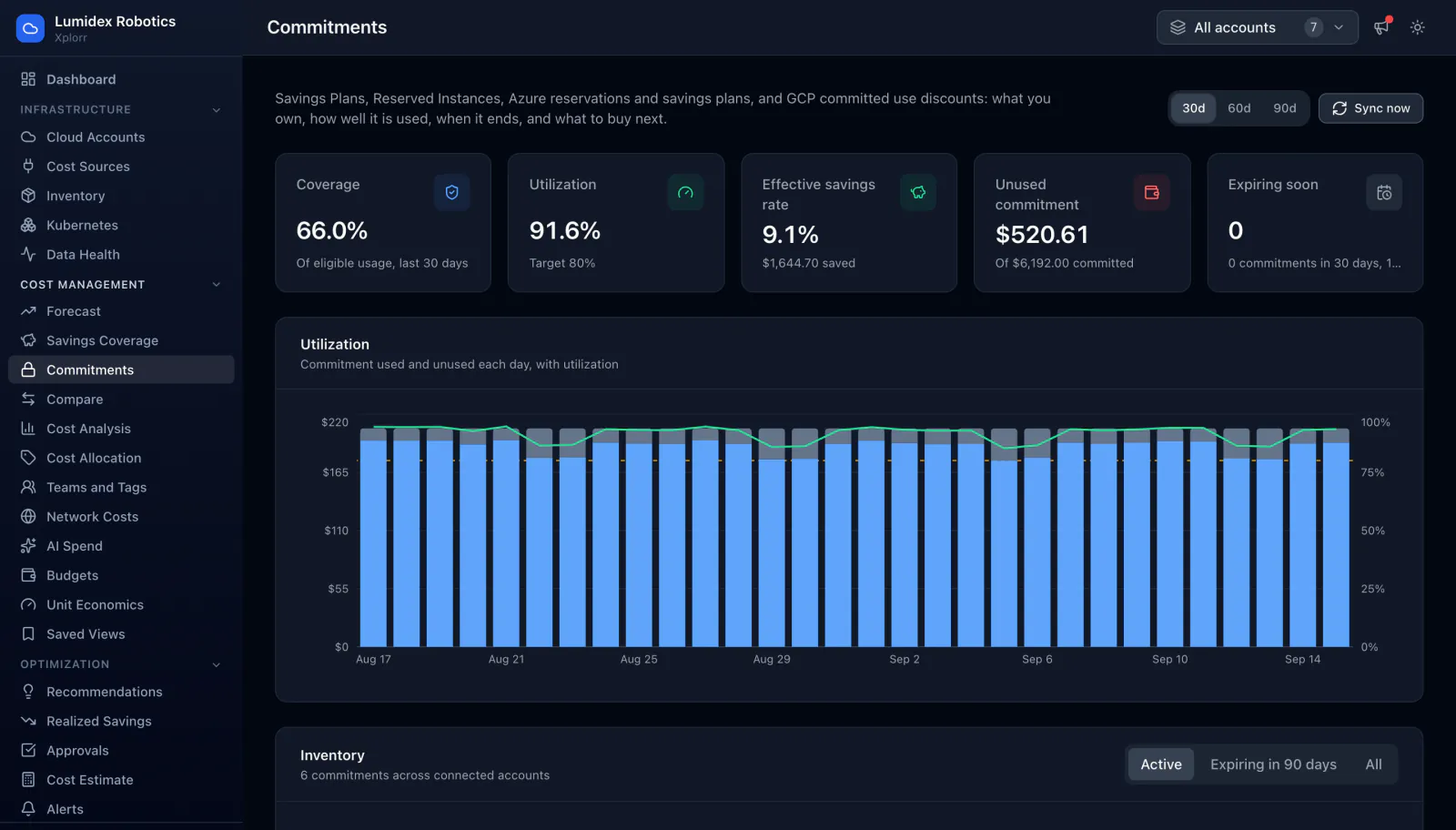
- Coverage of eligible usage and utilization against your target
- Effective savings rate with the amount saved in the period
- Unused commitment in currency, against the total committed
- A count of commitments expiring soon, so a renewal does not arrive as a surprise
- Daily chart of commitment used and unused, with the utilization line over it
- Inventory of every commitment with provider, term, scope, monthly cost, 30 day utilization and end date
- Filters for active, expiring in 90 days, or all, across 30, 60 or 90 day windows
Common questions about Commitments
What is the difference between coverage and utilization?
Does Xplorr buy commitments for me?
Are Azure and GCP commitments handled too?
Background reading
Choosing between the two commitment types before you buy is covered in AWS Reserved Instances vs Savings Plans, with the break even arithmetic for each.
Related features
How this compares
See this on your own accounts
Connect a cloud account with read only credentials and the first sync pulls your last 30 days, so this screen fills with your numbers instead of the demo workspace. Free during beta.