A FinOps tool for startups that watches credits, budgets and waste
A seed to Series B team needs four things before it needs a FinOps hire: to know when its cloud credits run out, a budget that warns before the month is over, an alert when one service suddenly costs far more, and a list of resources nobody is using. Xplorr does those four with read only access, and it is free during the private beta.
Inputs
Where the startup numbers come from
Xplorr reads your accounts with read only credentials and never writes to your infrastructure. These are the sources behind this screen.
- AWS credits, read daily
- Promotional and AWS Activate credits read with billing:GetCredits: the amount, what is left and the expiry date. From the management account it covers the whole organization. Credits guide
- Azure credit lots
- Imported for EA and MCA billing accounts once the billing account id is set. Google Cloud has no credit balance API, so Google credits are entered by hand and their burn is tracked from your synced cost.
- Your cloud cost and usage
- Daily cost from AWS, Azure and GCP for budgets and anomalies, plus CloudWatch CPU and EBS volume state for idle EC2 instances and unattached volumes.
Method
How the startup numbers are worked out
No black box. If a figure is an estimate or an apportionment rather than a billed line, the page says so.
Burn rate and a run out date for every grant
Burn is the credit actually applied on your bill. The trailing 30 day average gives a burn rate, and the remaining balance divided by it gives the projected run out date.
Warnings before credit runs out or expires unused
Alerts go to admins by email and to Slack 30 days and 7 days before the projected run out, and 30 and 7 days before expiry when the projection leaves credit unused.
Budgets for the period you plan in
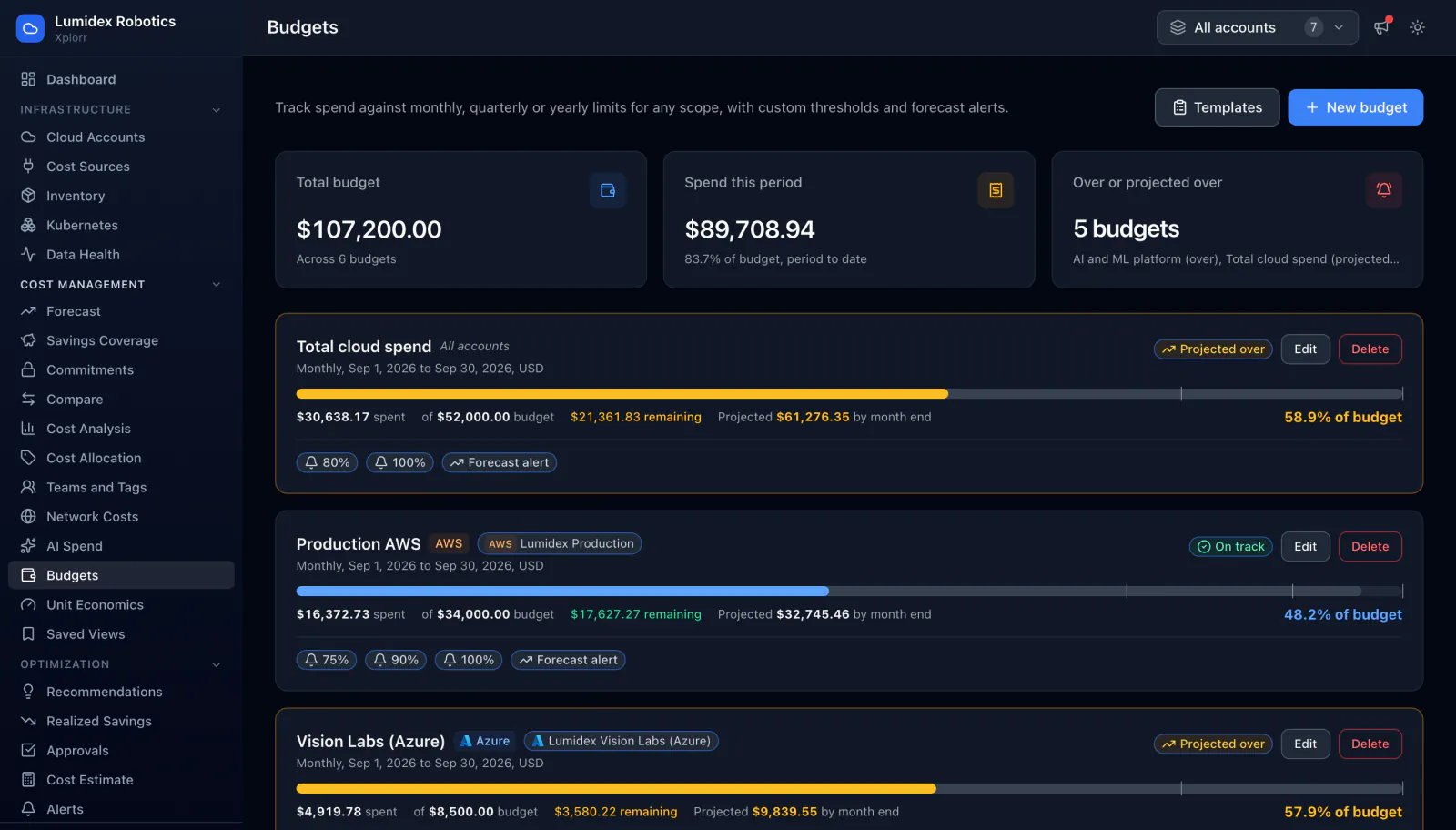
A budget runs monthly, quarterly or yearly, scoped to accounts, providers, services, regions or tags, with alerts at 80% and 100% by default or at thresholds you choose, and an optional alert when the forecast crosses it.
Anomalies against each service baseline
Each service on each account is compared with its own average over the previous seven days, so a spike on a small service is caught without anyone setting a threshold for it.
Idle resources priced at list
Running EC2 instances that averaged under 5% CPU for seven days and EBS volumes attached to nothing are listed with a monthly cost from AWS list prices. Azure Advisor and Google Recommender findings sit in the same list.
In the console
What is on the startup screen
- Remaining balance, burn rate and projected run out date per credit grant
- Credit that will be left unused at expiry if nothing changes
- Budgets with spend so far and an end of period projection
- Open anomalies with actual against baseline cost
- Idle and unattached resources with their monthly cost
- A daily Slack digest and a weekly email digest
Common questions about startup
Is it really free?
Does Xplorr change anything in our accounts?
Does it track Google Cloud credits?
What permission does credit tracking need on AWS?
We only use AWS today. Is it still worth it?
Background reading
What to set up at pre-seed, post-seed, Series A and Series B, priced at AWS list rates, is laid out in Cloud cost optimization for startups.
The patterns that come before a surprise bill are in 5 signs your cloud bill is about to spike.
Related features
How this compares
See this on your own accounts
Connect a cloud account with read only credentials and the first sync pulls your last 30 days, so this screen fills with your numbers instead of the demo workspace. Free during beta.