5 Signs Your Cloud Bill Is About to Spike
Five signs a cloud bill is about to spike: unscheduled dev environments, uncapped autoscaling, no budget alerts, orphaned snapshots and unmodeled data transfer.

Xplorr team
The people who build Xplorr
In this post
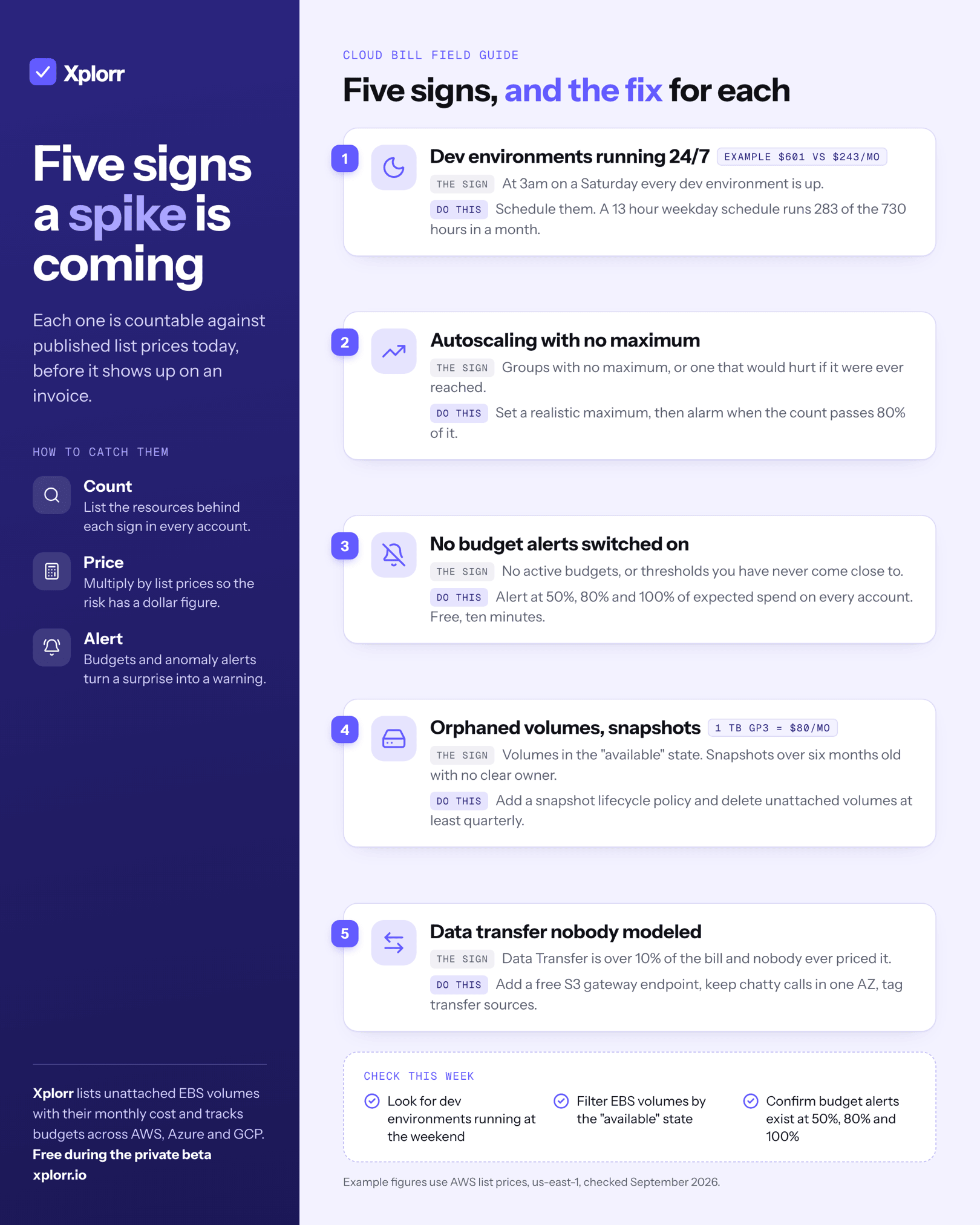
Five signs predict a cloud bill spike: dev environments running with no schedule, autoscaling groups with no maximum, no budget alerts configured, orphaned snapshots and unattached volumes accumulating, and data transfer nobody modeled. Each one is countable against published list prices today, before it shows up on an invoice.
Spikes almost never come from one bad decision. They come from a dozen reasonable ones that nobody revisited.
Sign 1: Are Your Dev Environments Running 24/7?
Development and staging environments exist to help engineers ship faster. They are not supposed to run through weekends, holidays and the two weeks nobody touches them.
Price a modest one at AWS list rates in us-east-1:
| Line item | List price | 730 hrs (24/7) | 283 hrs (13-hr weekdays) |
|---|---|---|---|
3 x m5.xlarge |
$0.192/hr | $420.48 | $163.01 |
1 x db.r6g.large PostgreSQL, Single-AZ |
$0.225/hr | $164.25 | $63.68 |
| 1 x Application Load Balancer | $0.0225/hr | $16.43 | $16.43 |
| Total | $601.16 | $243.12 |
Prices checked September 2026, us-east-1.
The warning sign: log into your console at 3am on a Saturday and every dev environment is up.
What to do: implement instance scheduling. AWS has a native Instance Scheduler, Azure Automation can start and stop VMs on a schedule, and GCP has scheduled instance groups. Half a day of work that pays for itself within weeks.
Sign 2: Is Autoscaling Running Without a Maximum?
Autoscaling is one of the best things about cloud computing. It is also one of the fastest routes to a five-figure invoice when it is configured wrong.
The standard mistake: a minimum of 2 instances and no maximum, or a maximum so high it is effectively unlimited. Under normal conditions you run 3 to 5 instances. Then traffic spikes, legitimately or because of a bug, a scraper or an attack, and the group adds 50, 100, 200 instances before anyone notices.
The warning sign: autoscaling groups with no maximum set, or maximums that would create obvious financial pain if they were ever reached.
What to do: audit every group and set a maximum that reflects realistic upper-bound traffic. Then add a CloudWatch alarm (or the equivalent) that fires when instance count passes 80% of maximum. A Slack notification at capacity beats an invoice notification after the fact.
Sign 3: Are Budget Alerts Actually Switched On?
This is the cheapest of the five to fix. AWS Budgets, Azure Cost Management budgets and GCP budget alerts are all free, and all of them are off until someone turns them on.
Budget alerts do not stop spending. They create the minimum feedback loop you need to act before the invoice lands. Without them you are blind until month end.
The warning sign: open your billing console and check for active budget alerts. If there are none, or if the thresholds are numbers you have never come close to, you have no early warning system at all.
What to do: set alerts at 50%, 80% and 100% of expected monthly spend on every active account. Route them to a Slack channel at least one named person watches. Ten minutes of work, no cost. Across more than one cloud, Xplorr’s budgets track monthly, quarterly or yearly amounts against the same thresholds and can alert on the forecast before the actual crosses.
Sign 4: Are Snapshots and Volumes Piling Up Unattached?
EBS volumes, Azure Managed Disks and GCP Persistent Disks do not disappear when you delete the instance they were attached to, at least not by default.
Every orphaned volume bills for storage indefinitely until someone deletes it. Snapshots behave the same way, accumulating quietly, each one a small monthly charge that adds up over years.
| Orphaned resource | List price | 1 TB for a month |
|---|---|---|
| gp3 volume, unattached | $0.08/GB-month | $80.00 |
| EBS snapshot, standard tier | $0.05/GB-month | $50.00 |
Prices checked September 2026, us-east-1.
The warning sign: filter volumes by “available” state, then sort snapshots by age. Snapshots older than six months with no obvious reference are orphaned storage.
What to do: set a lifecycle policy for snapshots (delete after X days unless flagged permanent) and delete unattached volumes once you have confirmed nobody needs them. Quarterly at minimum. Xplorr’s recommendations list unattached EBS volumes with their monthly cost, which turns the quarterly sweep into a list to work through.
Sign 5: Is Data Transfer Spend Unmodeled?
Data transfer is the most common source of unexpected cloud bills. The per-GB charges are small, so they never look alarming, until you multiply by the gigabytes actually flowing through your system.
| Transfer path | AWS list price | Example volume | Monthly cost |
|---|---|---|---|
| Cross-region, us-east-1 to eu-west-1 | $0.02/GB | 10 TB replicated | $200.00 |
| Cross-AZ, within one region | $0.01/GB each direction | 20 TB, billed out and in | $400.00 |
| Out through a NAT Gateway | $0.045/GB | 10 TB processed | $450.00 |
| Out to the internet, first 10 TB | $0.09/GB | 5 TB egress | $450.00 |
Prices checked September 2026, us-east-1.
Sending telemetry to a third-party observability platform runs through the last two rows at once. At scale that egress can exceed the cost of the tool receiving it.
How Do You Find Unmodeled Transfer Spend?
The warning sign: pull Cost Explorer (or the equivalent) and look at the Data Transfer line. If it is more than 10% of your total bill and nobody ever modeled it, you have unexamined transfer spend.
What to do, in order of payoff:
- Add VPC endpoints for AWS service traffic. An S3 gateway endpoint is free and removes S3 traffic from the NAT Gateway entirely.
- Review cross-region replication. Copy changed objects once rather than re-copying a dataset on a schedule.
- Prefer same-AZ routing for chatty service-to-service calls, using topology-aware routing in Kubernetes where you have it.
- Tag transfer-generating resources so the cost attributes to the service that caused it rather than to a shared “networking” bucket.
These five patterns are consistent enough that we built anomaly detection into Xplorr specifically to catch them. When spend in any category passes its 7-day rolling average, you get an alert before the invoice, not after. See the monitoring and alerting features for how it works.
The common thread is the same in every case: cost accrues incrementally, nobody is watching, and the pain only becomes visible at invoice time. So is the fix: visibility, automation and alerts. Xplorr connects to AWS, Azure, and GCP with read-only credentials and starts monitoring from day one. The Free plan covers 1 cloud account, no credit card required. Check pricing for what each plan includes.
Xplorr shows your AWS, Azure and GCP spend in one place, with anomaly detection, budgets and rightsizing recommendations. Get started free.
Keep reading
- What Is a Cloud Cost Anomaly (And Why You Should Care)
- Cloud Cost Monitoring and Alerting: A Setup Guide
- Hidden Cloud Costs You’re Probably Missing Right Now
See how Xplorr helps → Features
Written by
Xplorr team
The people who build Xplorr
Written together by the engineers who build Xplorr: the AWS, Azure, GCP and Kubernetes collectors, the console, and the alerting behind them.
About Xplorr