Find out what data transfer is really costing you
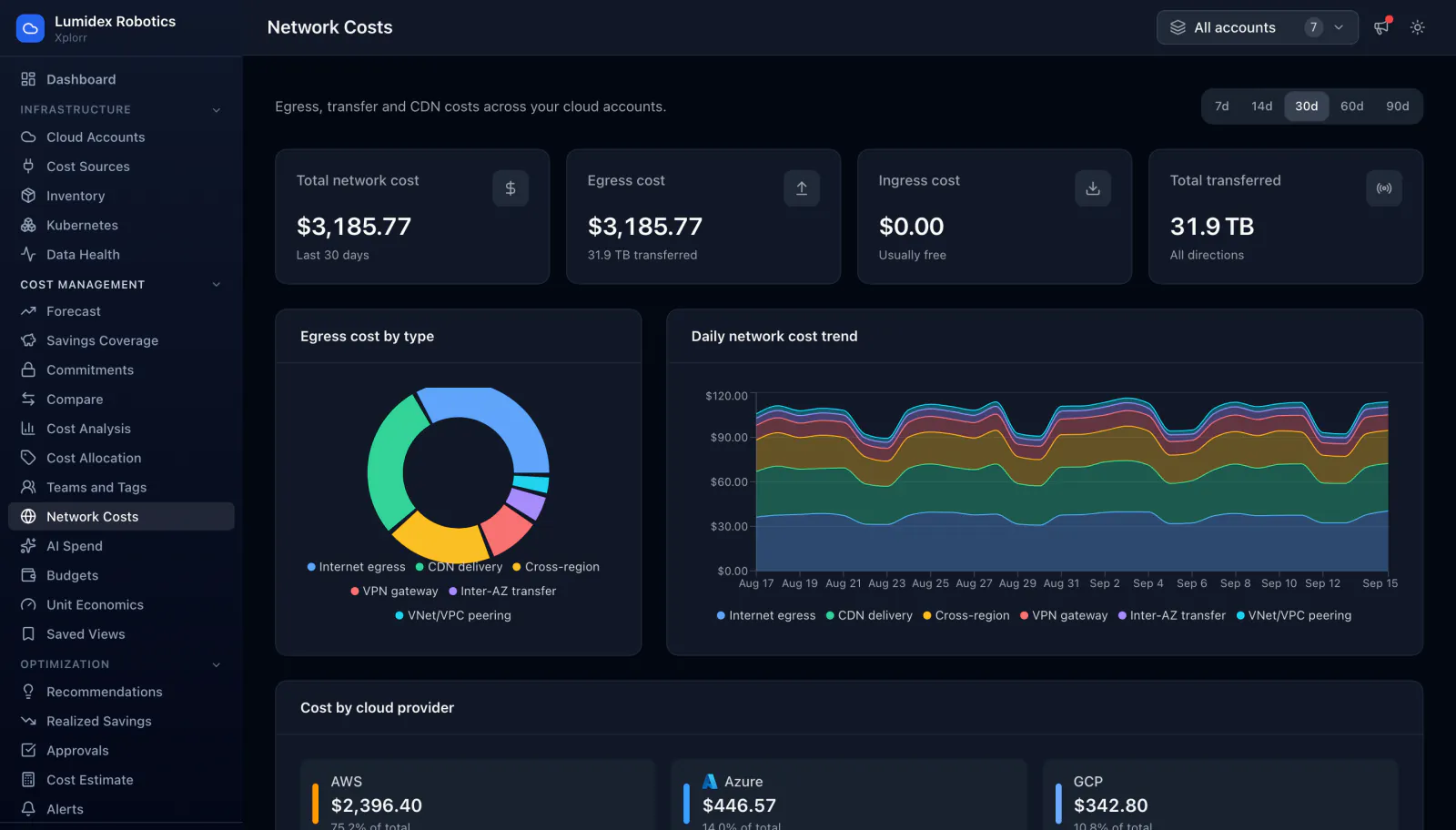
Network charges are never one line on the bill. They are scattered across dozens of usage types on every service that moves bytes. Xplorr pulls those usage types back together and splits them by traffic type, so egress stops being the line nobody can explain.
Inputs
Where the Network Costs numbers come from
Xplorr reads your accounts with read only credentials and never writes to your infrastructure. These are the sources behind this screen.
- AWS Cost Explorer
- Read only IAM role. Data transfer and NAT gateway charges are billed under usage types rather than as a service of their own, so they are matched on usage type instead of service name.
- Azure Cost Management
- Service Principal with the Reader role, covering EA, MCA and Pay As You Go. Bandwidth and VNet peering meters are read from the same cost query as the rest of Azure spend.
- GCP billing export
- Service Account with Billing Viewer. Network egress SKUs come from the BigQuery billing export, which is where GCP reports them at usage level.
Method
How the Network Costs numbers are worked out
No black box. If a figure is an estimate or an apportionment rather than a billed line, the page says so.
Usage types are classified into traffic types
Each provider names the same thing differently. Xplorr maps the underlying usage types and meters onto one set of traffic categories, so internet egress on AWS and bandwidth on Azure land in the same bucket and can be compared.
Bytes and cost are tracked separately
Transfer is recorded as volume as well as spend. That matters because the two move independently: a routing change can cut terabytes without cutting the bill, and a region change can do the reverse.
Nothing is estimated
Every figure is a billed line item rolled up, not a modelled guess from flow logs. If a charge is not on your bill it is not on this page.
What counts as network is fixed per provider
On AWS the figures come from the AWS Data Transfer, Amazon CloudFront and AWS VPN services in Cost Explorer, grouped by usage type and region. On Azure they are the networking meters inside the same cost query as the rest of Azure spend, covering bandwidth, VPN, Front Door, ExpressRoute, virtual network peering and NAT Gateway. On GCP they are the networking services plus any SKU whose description reads as transfer, from the BigQuery billing export. Transfer a provider bills inside another service, such as AWS NAT gateway processing charged under EC2, is not on this page yet.
Bytes are recorded only where the provider reports a size
A row carries a byte count when its usage comes back in gigabytes or another size unit. Meters billed in hours, connections or requests, which is most gateway and DNS style charges, are stored with their cost and a byte count of zero. Cost totals are complete. Volume totals cover only the transfer the provider measured in bytes.
Direction is only as good as the usage type
AWS separates data transfer in from data transfer out, and GCP marks a SKU as ingress where its description says so. Azure meters do not distinguish the two, so Azure rows are recorded as egress. Read the ingress and egress split as an AWS and GCP figure rather than a three cloud one.
In the console
What is on the Network Costs screen
- Total network cost and total volume transferred for the period
- Egress cost split by type: internet, CDN delivery, cross region, VPN gateway, inter-AZ and VPC peering
- Daily network cost trend, so a spike is dated rather than just noticed
- The split across AWS, Azure and GCP in one view
- Filters by account, provider and date range
- Drill through to the accounts and services generating the transfer
Common questions about Network Costs
Why does my cloud bill not have a network line?
Does this need VPC flow logs?
Are NAT gateway charges included?
How far back does the breakdown go?
Why is some transfer filed as other?
Background reading
NAT gateway processing and cross AZ transfer lead the list in Hidden cloud costs you are missing, each priced at list rates.
How egress pricing differs between providers is covered in AWS vs Azure vs GCP pricing in 2026.
Related features
How this compares
See this on your own accounts
Connect a cloud account with read only credentials and the first sync pulls your last 30 days, so this screen fills with your numbers instead of the demo workspace. Free during beta.